What is TRONAgg?
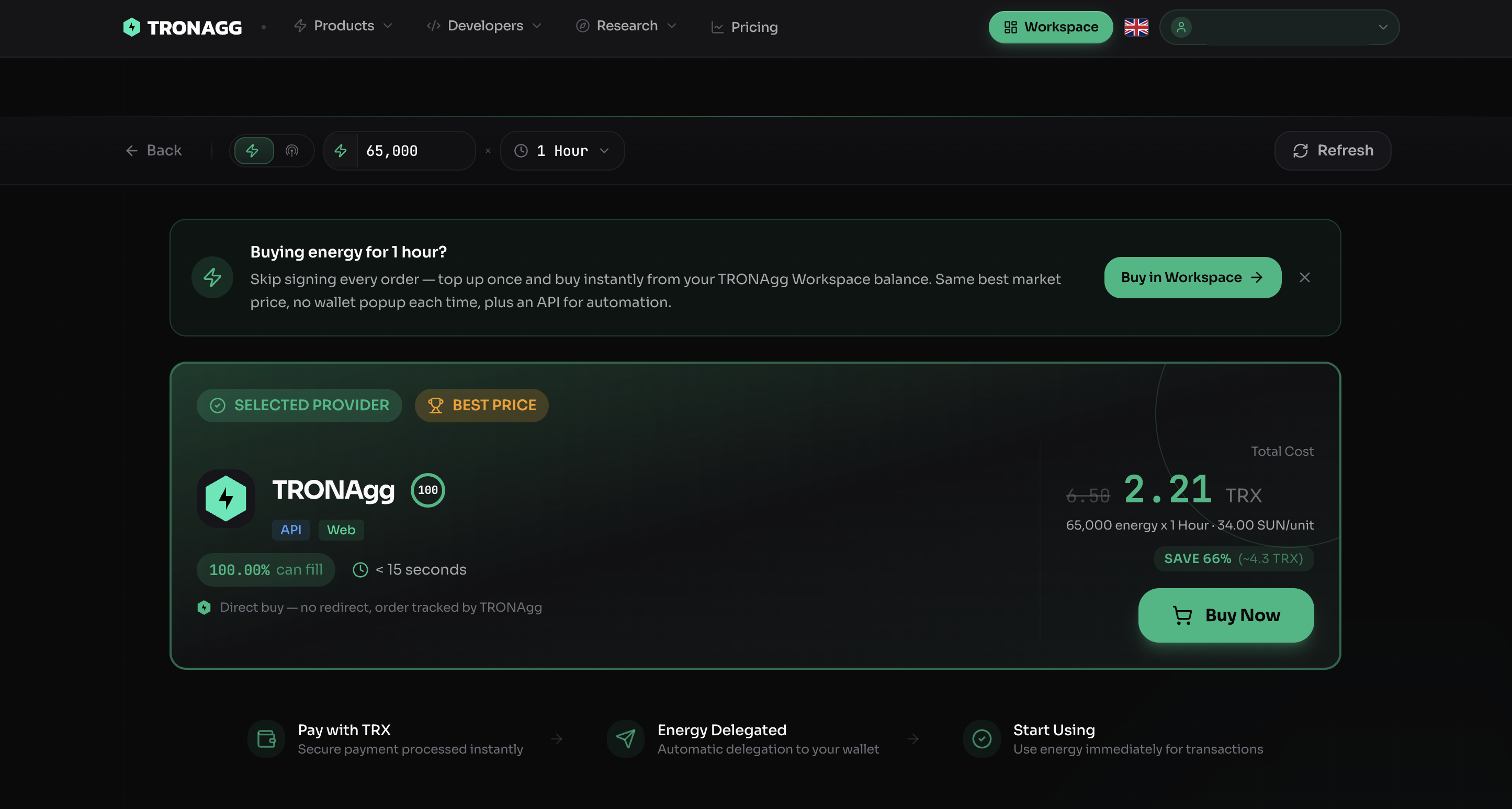
Every order shows the selected provider, its TrustScore, fill probability, delivery time, and the saving versus burning TRX — then delegates energy straight to your wallet.
TRONAgg is the price-comparison and routing layer for TRON energy. One marketplace checks 13+ verified providers and our own energy pool in real time, then routes every order to the cheapest source that can actually fill it — so you pay up to 70% less than burning TRX, without managing a single provider yourself.
Why energy matters
Every USDT (TRC20) transfer and every smart-contract call on TRON consumes Energy. If your wallet doesn't hold enough, the network burns your TRX to make up the difference — which is why a single stablecoin transfer can cost a few dollars.
Renting Energy instead is almost always far cheaper. The problem is that prices across providers move minute to minute, and no provider is cheapest all the time. Chasing the best rate by hand means refreshing a dozen tabs before every transfer — and the price has already changed by the time you buy.
TRONAgg removes that work entirely. You search once by amount and duration; we compare every provider side by side, rank them by real price and reliability, and fulfil your order automatically.
What you get
- One balance, the whole market. Top up once. We source each order from whichever provider is cheapest and settle behind the scenes — no per-provider accounts.
- The live best price, every time. We poll 13+ providers and our own pool continuously and route to the genuine cheapest, not who was cheapest last week.
- Reliability by default. If a provider stalls, we route around it. Typical delivery is ~30 seconds, and a failed order is refunded automatically.
- Every surface on one engine. A dashboard (Workspace), a REST API, a Telegram bot, and a hosted Energy-Free Node — all priced by the same routing engine.
Where to go next
| You are… | Start here |
|---|---|
| New to TRON energy | Core Concepts |
| Weighing up the value | Why TRONAgg |
| Not sure it's for you | Who is TRONAgg for? |
| Ready to buy | Your First Purchase |
| Building an integration | For developers |