Set up your reseller bot
This guide takes you from zero to a live, branded Telegram energy bot.
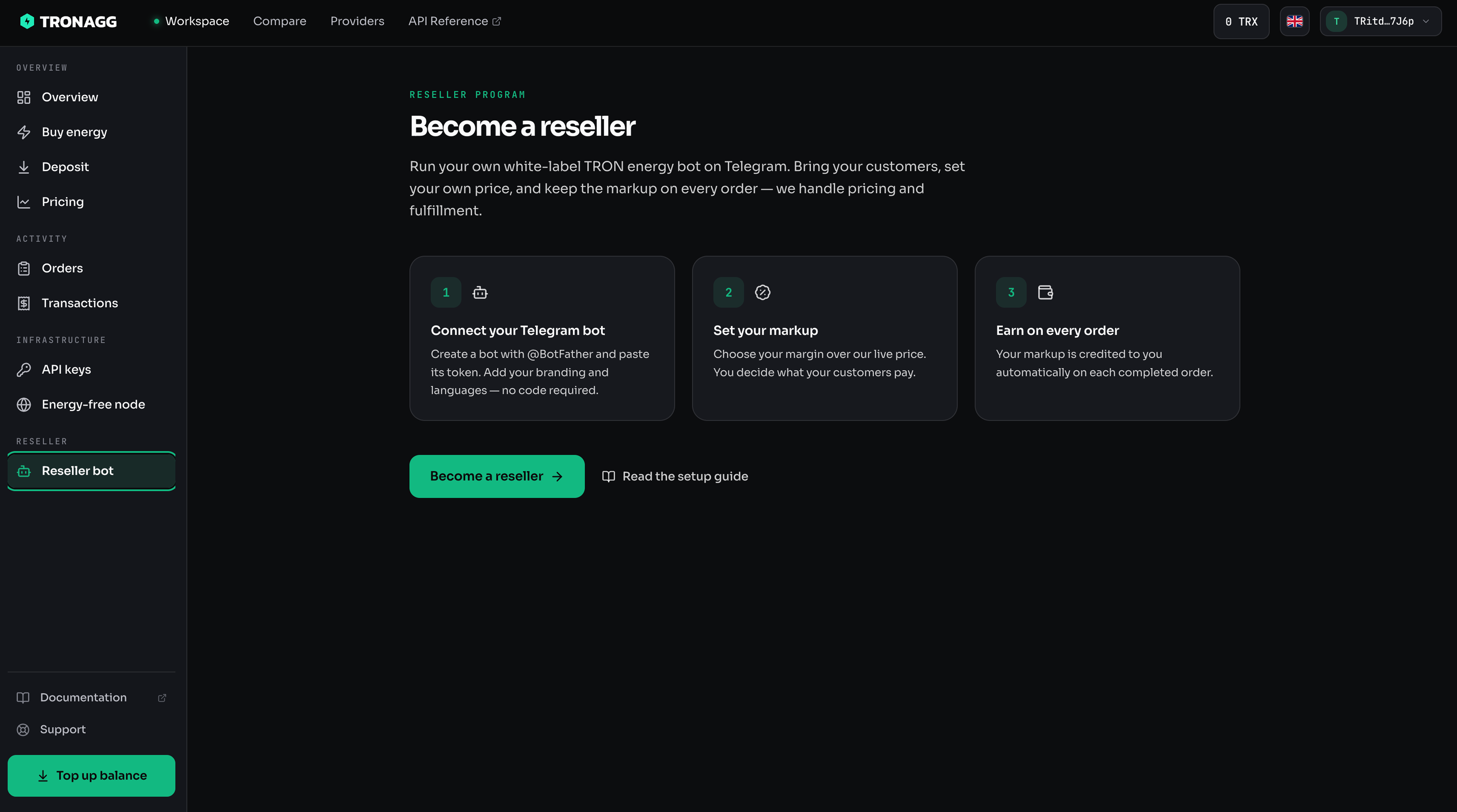
1. Become a reseller
Sign in to your workspace at tronagg.ai/workspace and open Reseller in the sidebar. Click Become a reseller to create your reseller account.
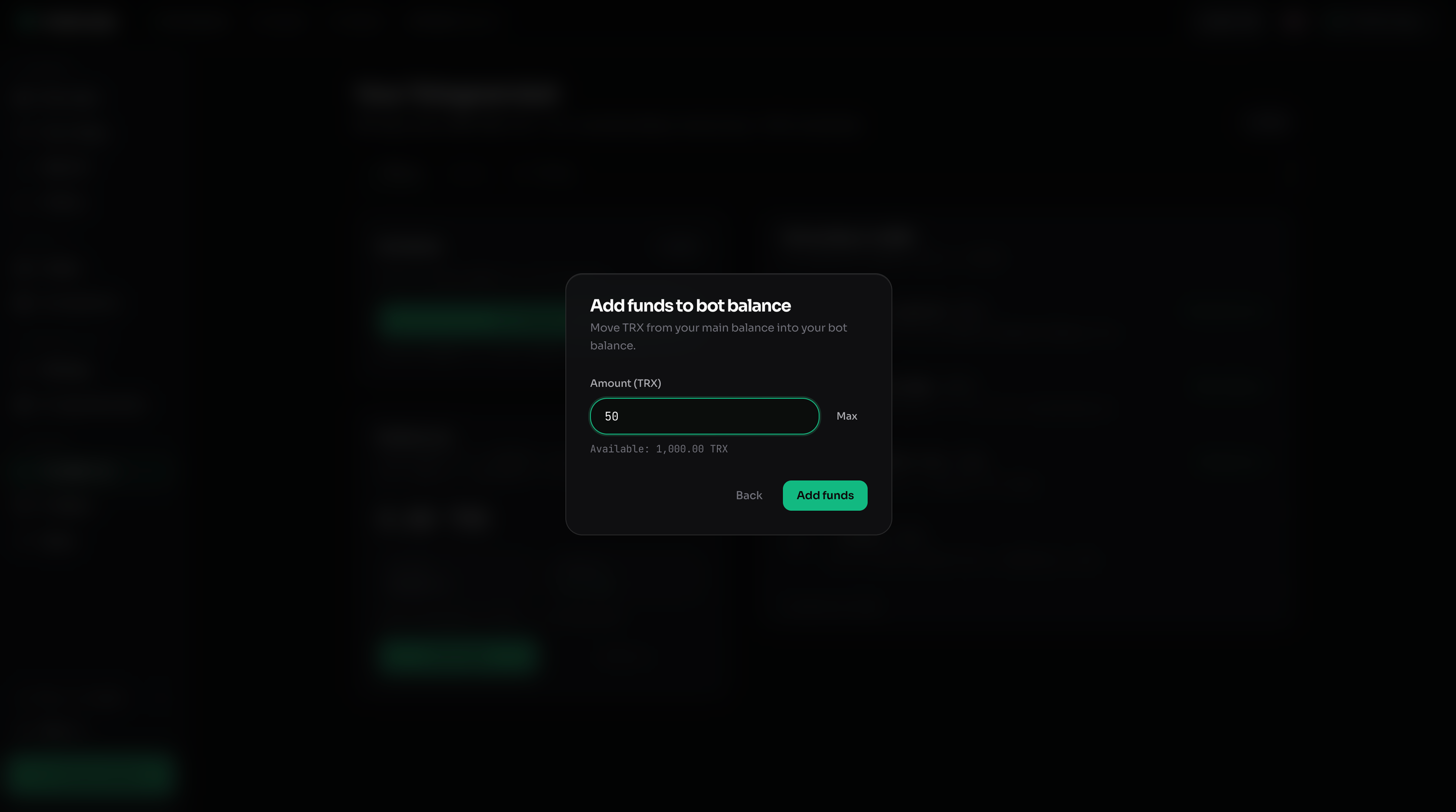
2. Fund the 50 TRX activation deposit
Your bot can go live once your reseller balance holds at least 50 TRX. Transfer it from your main balance on the Status tab. The deposit stays locked while your bot is live and is withdrawable after you stop.
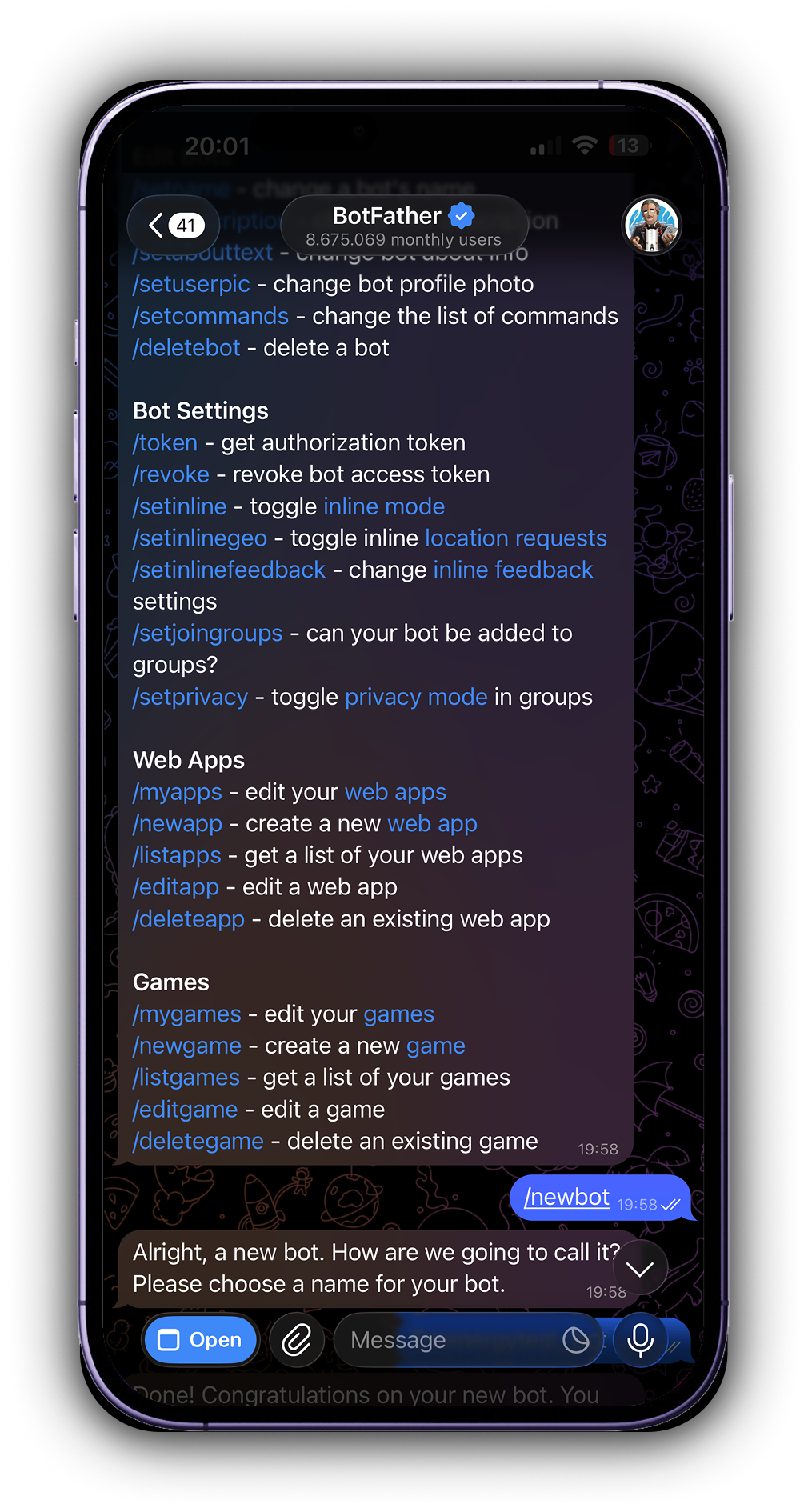
3. Create a Telegram bot with @BotFather
In Telegram, open a chat with @BotFather and send /newbot. Follow the prompts to choose a name and a username (it must end in bot).
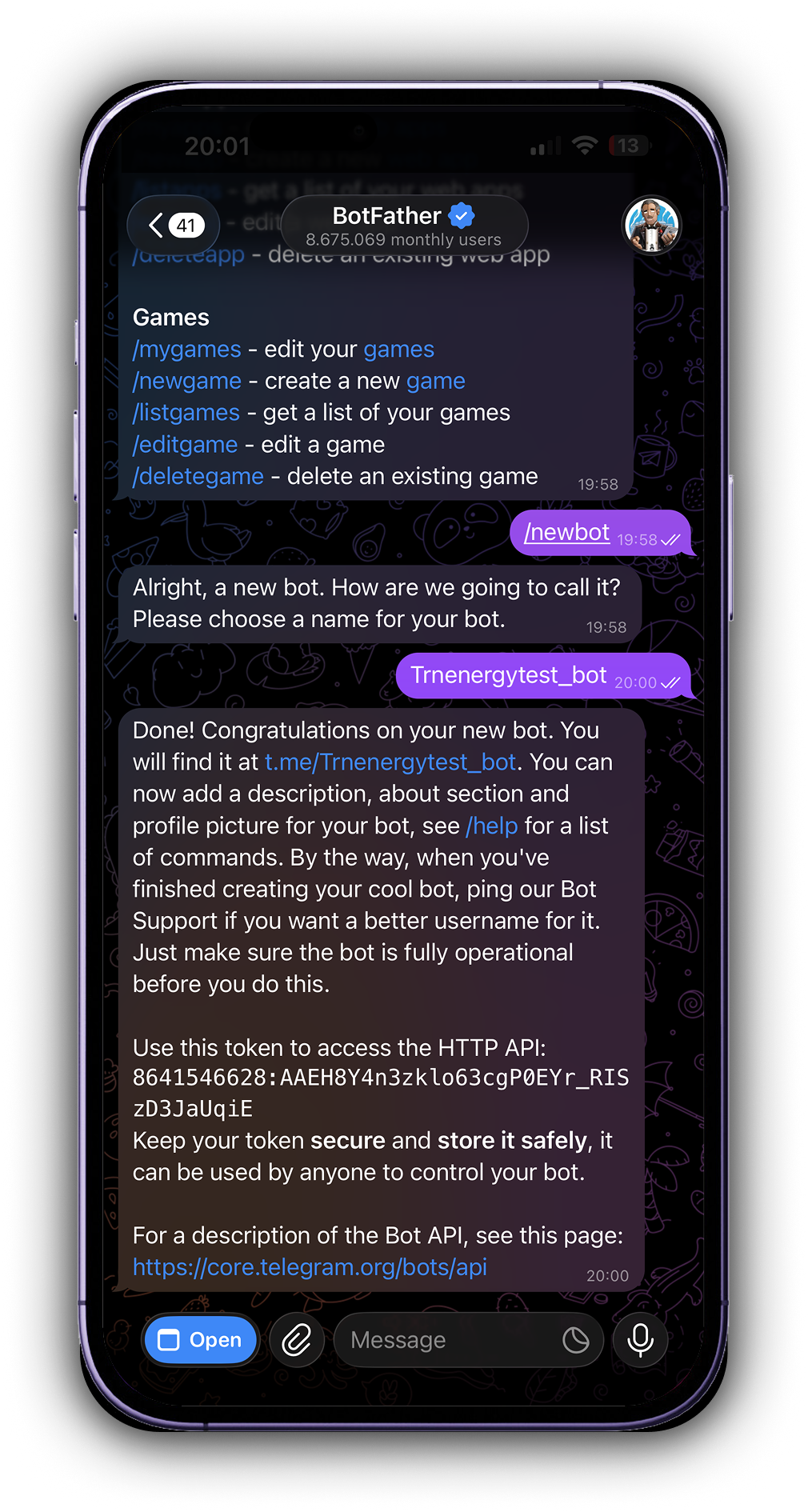
BotFather replies with your bot's HTTP API token. Copy it — you'll paste it into your workspace next. Keep this token secret; anyone with it can control your bot.
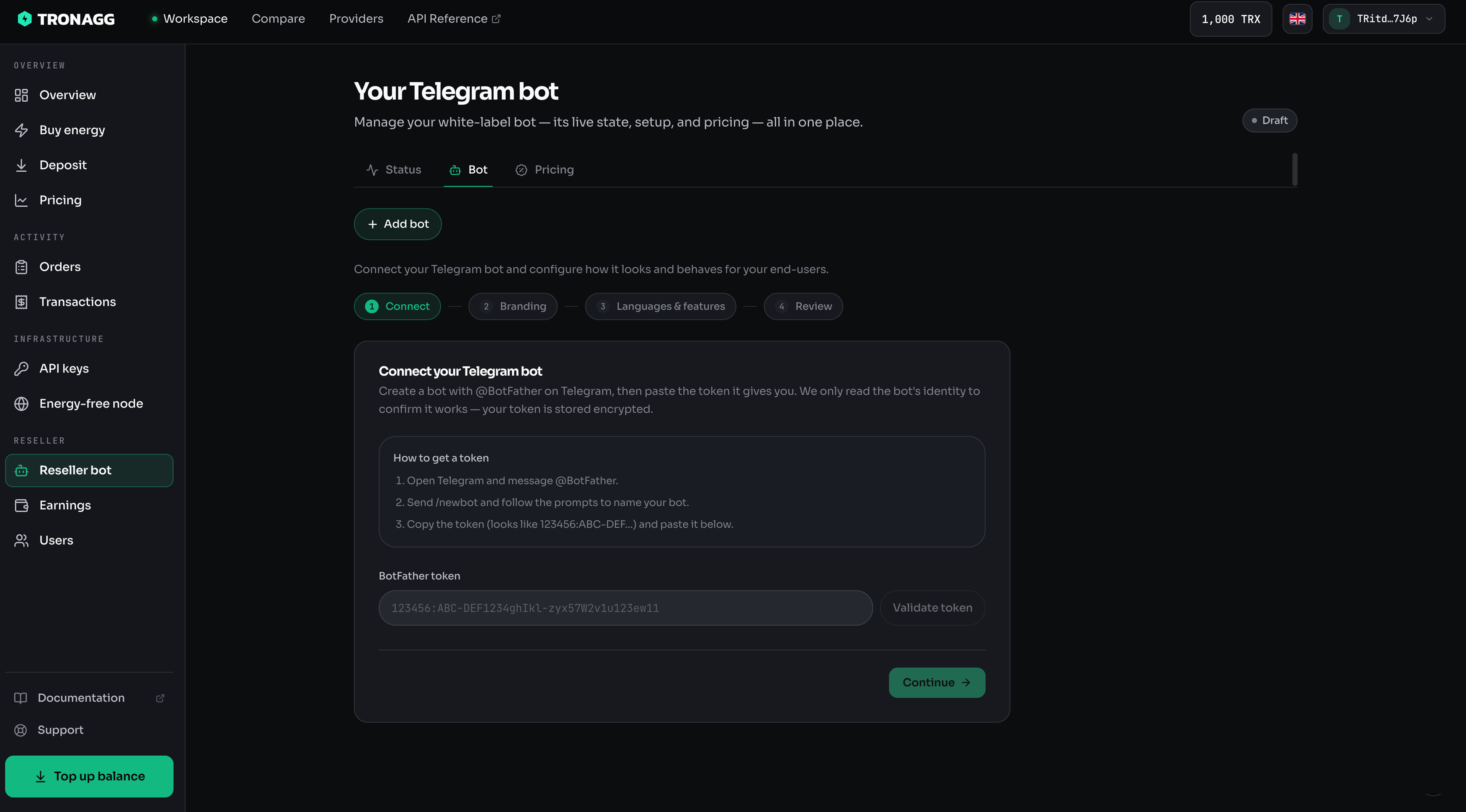
4. Connect the bot to your workspace
Open the Bot tab and paste your token. Once validated, your bot's username appears. Set your branding, the languages your bot speaks, and which features are enabled.
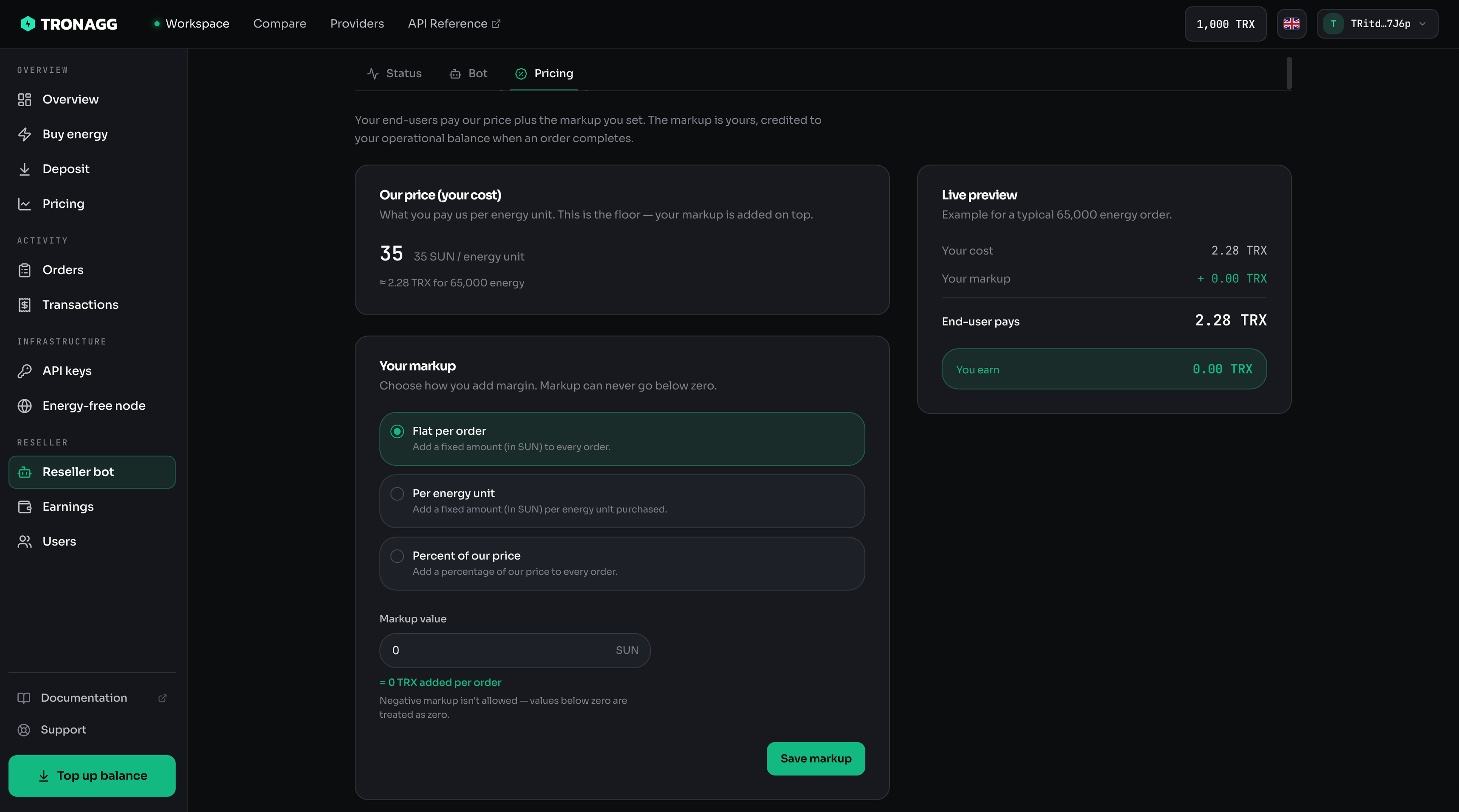
5. Set your markup
Open the Pricing tab and choose your markup over our price. Your current base price is shown for reference.
6. Activate
Back on the hub, click Activate. Once your balance is at or above 50 TRX, your bot goes live and starts taking orders.
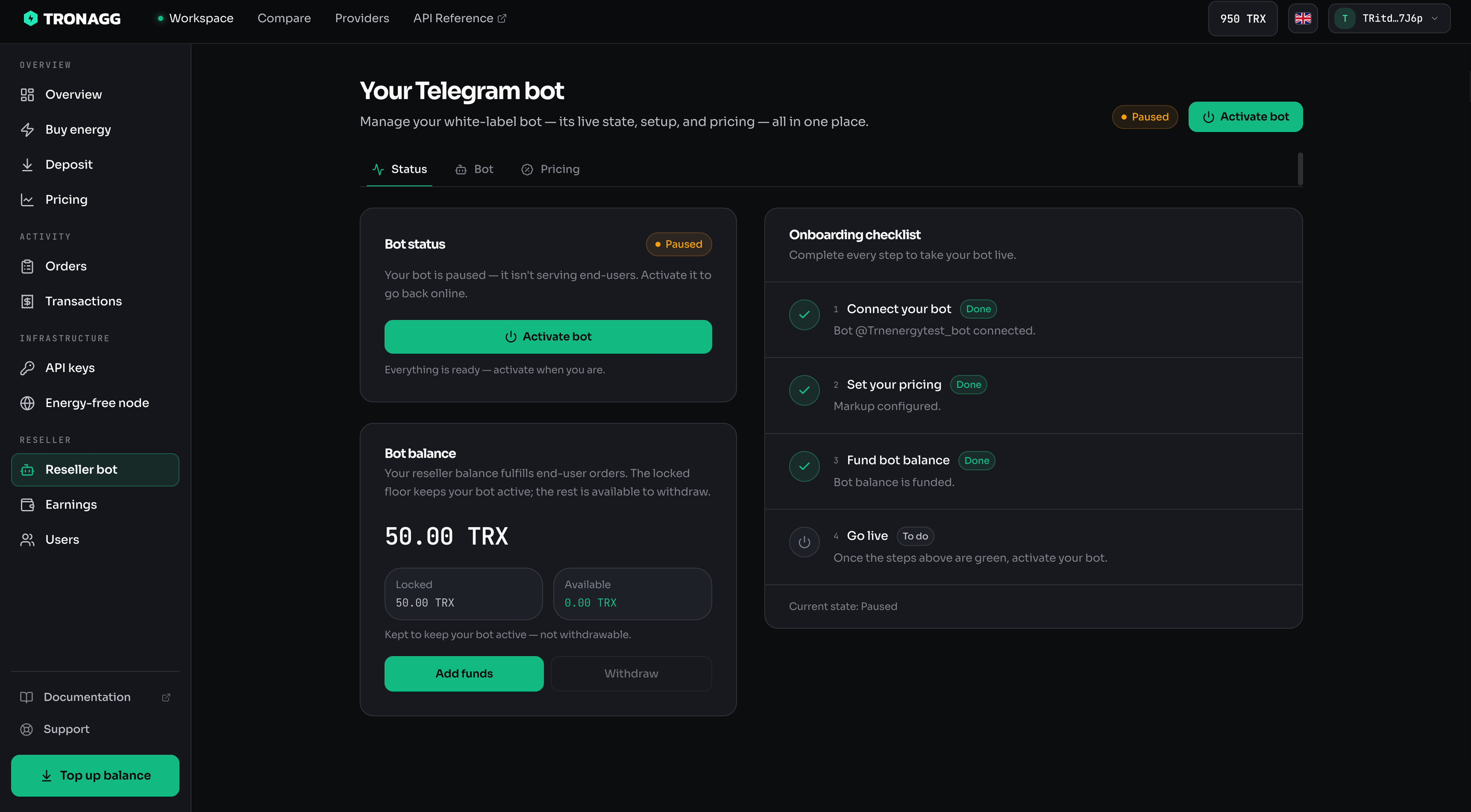
That's it — your customers can now buy energy through your bot, and your markup is credited to you on every completed order.