Tracking Orders
After purchasing Energy, you can track your orders from the My Orders page. This page shows all orders associated with your connected wallet.
Accessing My Orders
Click My Orders in the navigation bar (you need to have your wallet connected). You will see a list of all your past and current orders, with the most recent at the top.
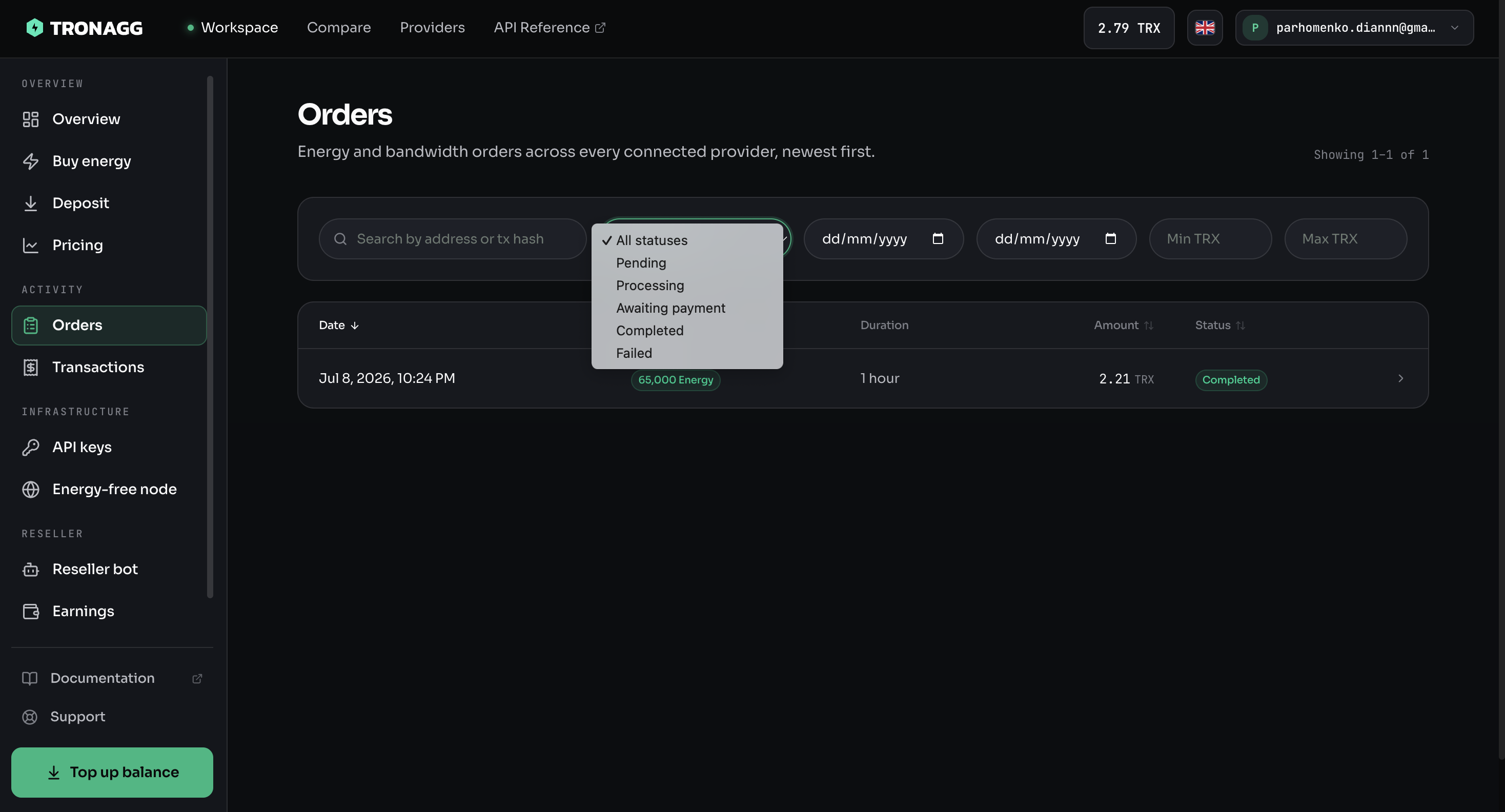
Order Statuses
Each order has a status that tells you where it is in the process:
| Status | Meaning |
|---|---|
| Pending | Your payment has been submitted. Waiting for the provider to begin processing. |
| Processing | The provider has received the order and is delegating Energy to the receiver address. |
| Completed | Energy has been successfully delegated. The order is finished. |
| Failed | Something went wrong. The provider could not fulfill the order. |
What to Expect
Most orders move from Pending to Completed within a few seconds to a few minutes. Some providers process orders instantly, while others may take a bit longer.
Once an order reaches Completed status, the Energy is delegated and will remain active for the full duration you selected.
Order Details
Each order entry shows:
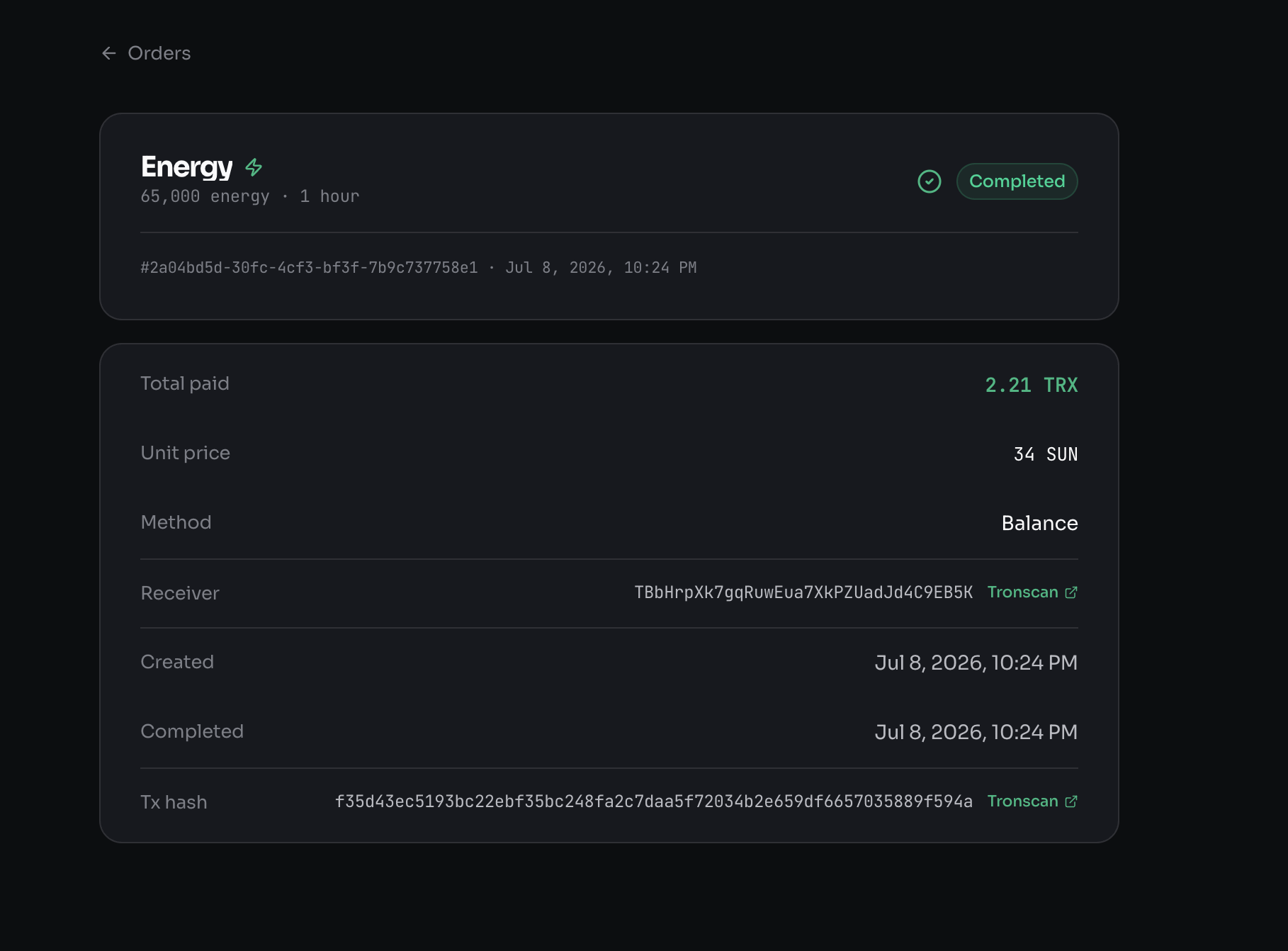
- Resource & amount — e.g. 65,000 Energy for 1 hour
- Status — Pending, Processing, Completed, or Failed
- Order ID — The unique identifier for this order
- Total paid — Total TRX you paid
- Unit price — The routed rate, in SUN per unit
- Method — How the order was paid (for example, from your Balance)
- Receiver — The address the Energy was delegated to, with a Tronscan link
- Created & Completed — When the order was placed and delivered
- Tx hash — The on-chain delegation transaction, linked to Tronscan
Special Indicators
"Via TRONAgg" Badge
Orders placed through TRONAgg's custodial purchase flow are marked with a Via TRONAgg badge. This means TRONAgg handled the payment processing and provider communication on your behalf, rather than you interacting with the provider directly.
"Syncing" Badge
A Syncing badge appears when an order's on-chain status has not yet been confirmed by TRONAgg's backend. This is a temporary state — it means the order exists but TRONAgg is still verifying the delegation on the blockchain.
This typically resolves within a few minutes. If it persists for longer, the backend may be catching up with the blockchain.
Handling Failed Orders
If an order shows Failed status:
- Check your wallet — Verify whether the TRX was deducted. In some cases, the transaction may not have gone through at all.
- Contact the provider — If payment was sent but Energy was not delegated, reach out to the provider directly. Their contact information is available on TRONAgg.
- Leave a review — Your feedback helps other users and affects the provider's TrustScore.
TRONAgg's TrustScore system prioritizes reliable providers. Providers with frequent failures see their scores drop, which pushes them lower in search results.
Order History
Your order history persists as long as you connect with the same wallet address. TRONAgg does not require an account — your wallet address is your identity.
If you disconnect and reconnect the same wallet, your full order history will reappear.
Need more Energy? Compare prices on TRONAgg.