Your First Purchase
This guide walks you through buying energy in the TRONAgg Workspace from start to finish. It takes about a minute — and because you pay from an internal balance, no wallet signature is needed for each purchase.
1. Open the Workspace
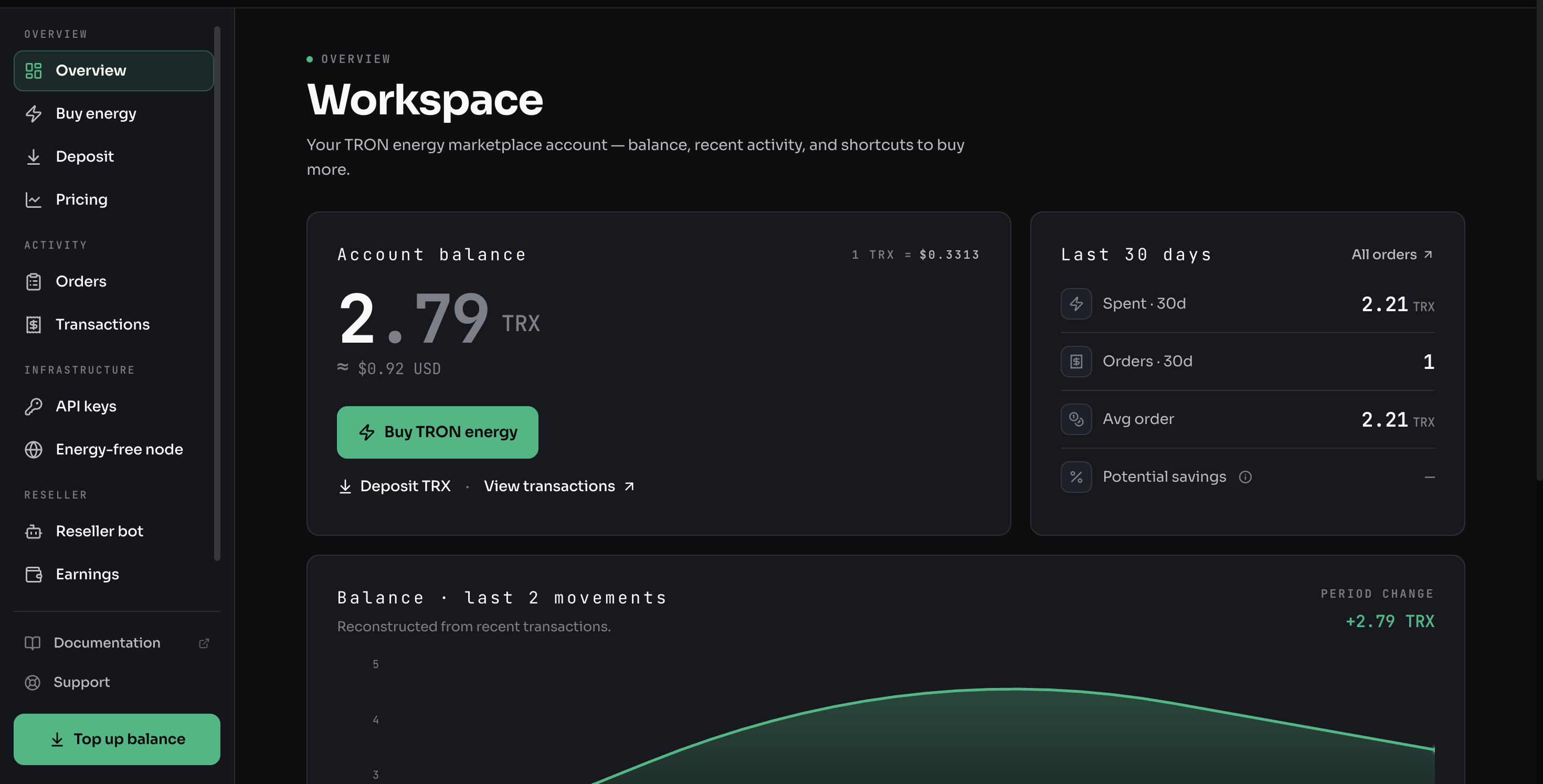
Sign in at tronagg.ai/workspace with Google, Telegram, or your wallet. The Overview shows your account balance, recent activity, and a shortcut to buy energy.
2. Top up your balance
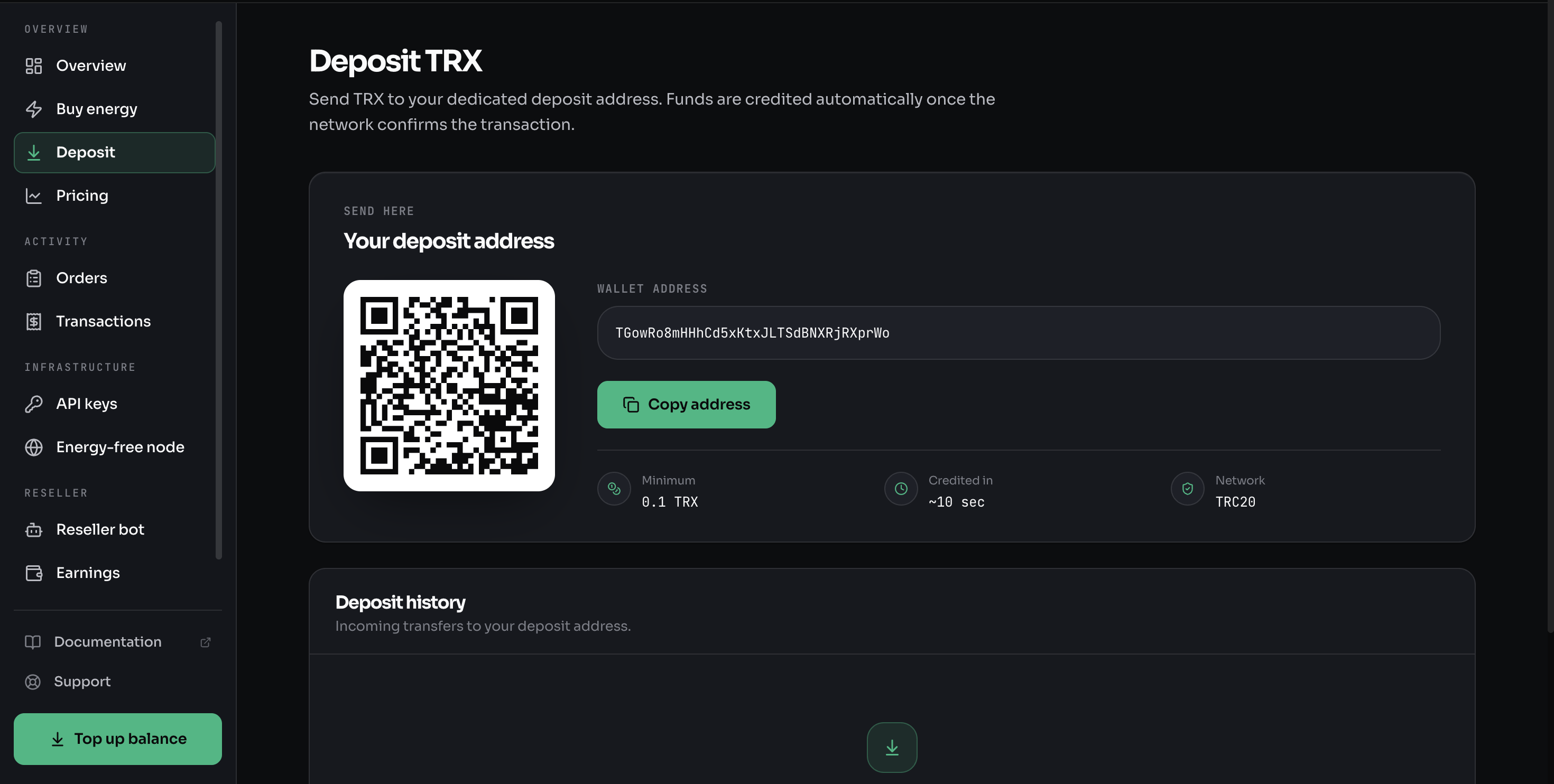
You pay for energy from an internal TRX balance, so top it up first. Open Deposit, copy your dedicated deposit address (or scan the QR), and send TRX to it.
- Minimum: 0.1 TRX
- Credited: automatically, in about 10 seconds once the network confirms
- Network: TRC20 (TRON)
A standard USDT transfer needs about 65,000 energy — roughly 2 TRX. Start small; you can always top up again.
3. Buy energy
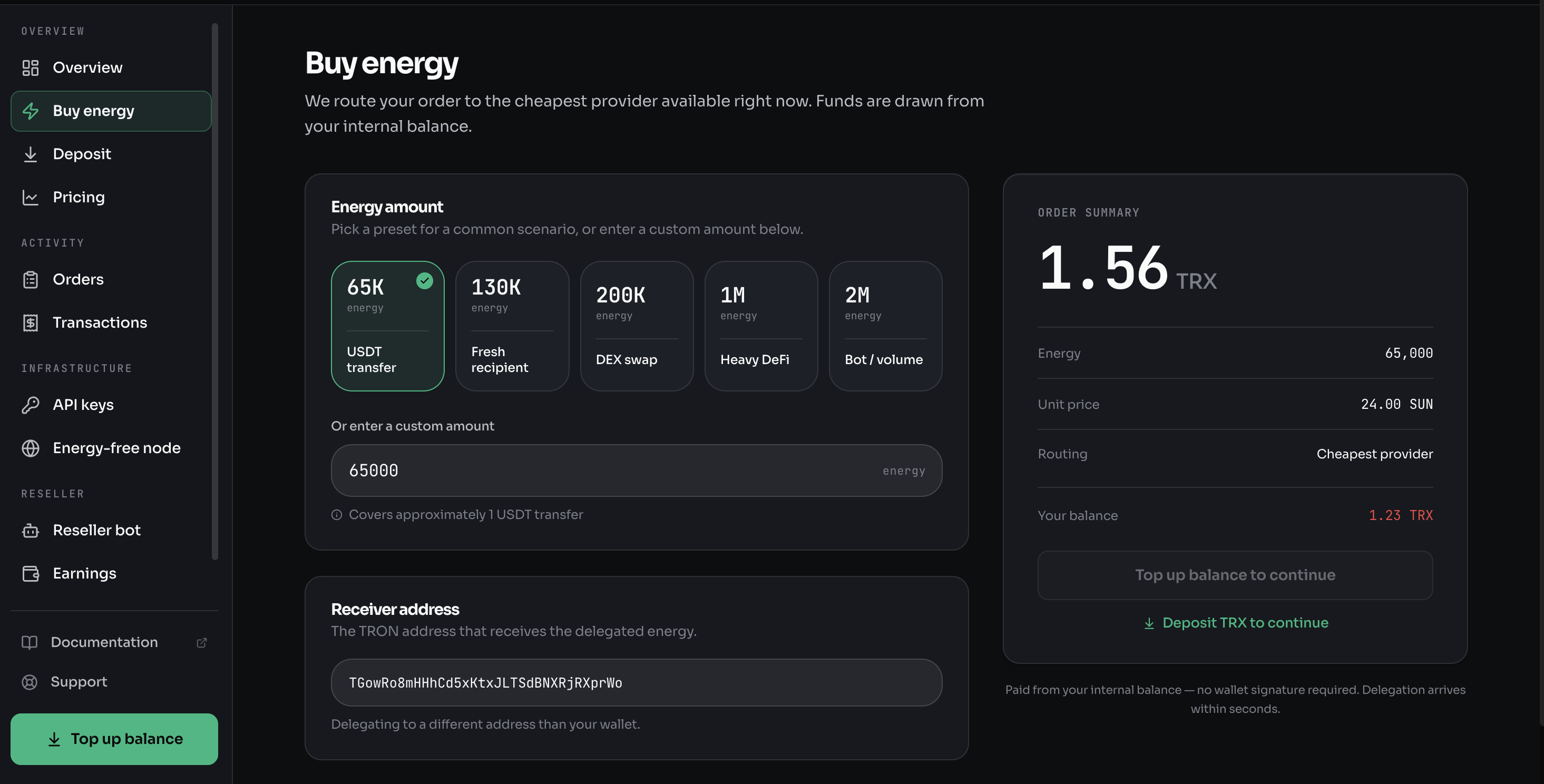
Open Buy energy. Pick a preset for a common scenario, or enter a custom amount:
- 65K — one USDT transfer
- 130K — a fresh recipient (first-time receiver)
- 200K — a DEX swap
- 1M / 2M — heavy DeFi, or bot / volume
Enter the receiver address — the TRON address that should receive the delegated energy (your own wallet or someone else's). The Order summary shows the energy amount, the unit price in SUN, the routing (cheapest provider), and the total.
Energy is delegated to the address you enter. If it's wrong, the energy goes to someone else and can't be recovered.
4. Confirm
Click Buy TRON energy. The order is paid from your internal balance — no wallet signature required — and energy is delegated on-chain to the receiver, typically within seconds. You get an order ID to track it.
5. Track your order
Open Orders to see the status (pending → completed), the receiver address, the amount paid, and the on-chain transaction on Tronscan. See Tracking Orders for the full detail.
Not sure how much energy you need? Use the cost calculators. Prefer chat? The same flow runs in the Telegram Bot.